Features
Your whole workday, in one place.
Calendar, tasks, projects, time and invoicing, made for freelancers and small agencies. And you run it with Claude or ChatGPT.
Your AI as assistant
Say what needs doing.
Connect Claude or ChatGPT and run Dowit in plain language. Your AI can do everything you can do in the app: plan, log, look things up and summarise.
- "Block 2 hours tomorrow for the Acme proposal": it's in your calendar, between your meetings.
- "1h Acme, 30m Northwind": today's hours, one after another in your working day.
- "What do I still need to invoice?": per client and per month, with amounts.
Today
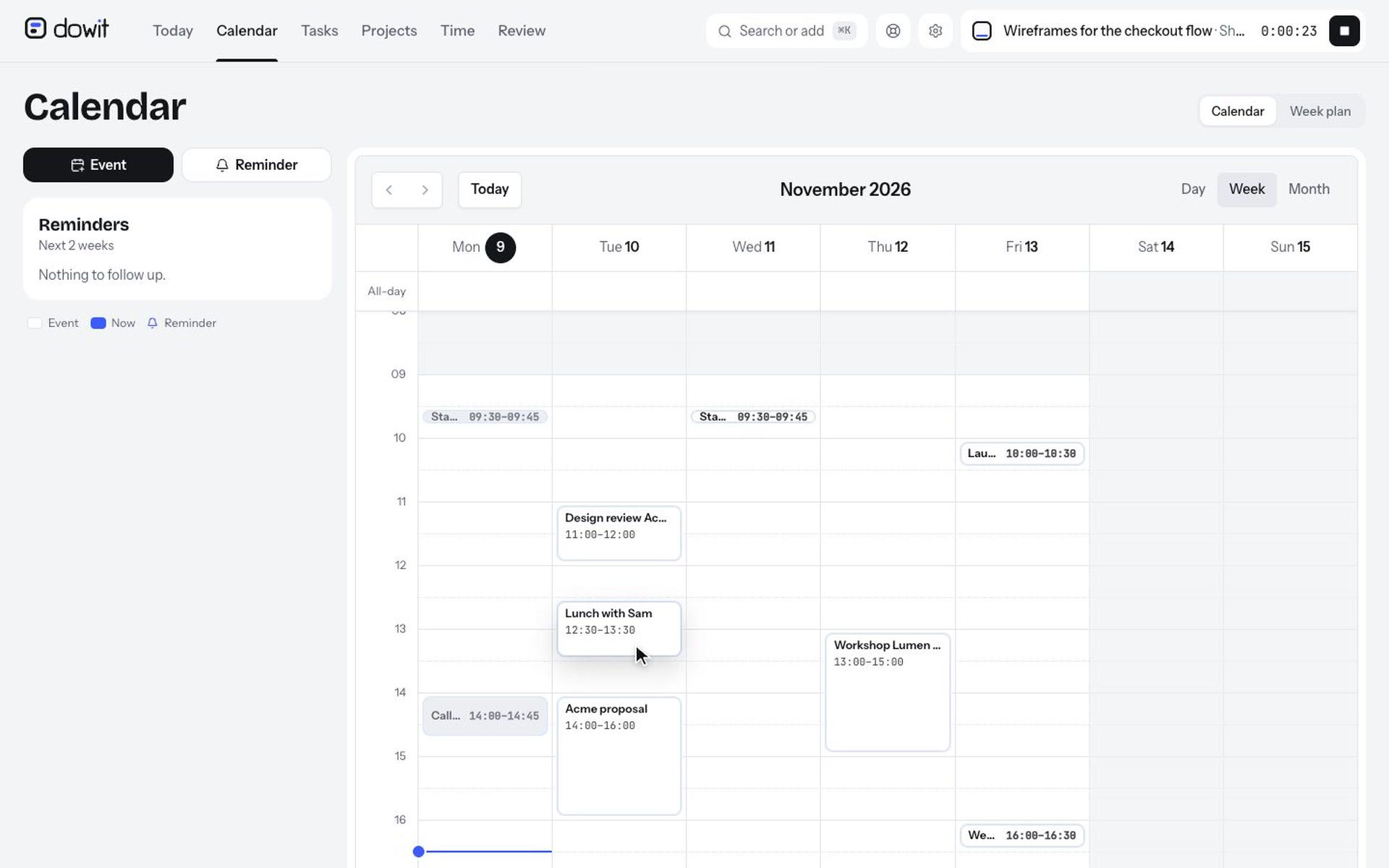
Your day as the frame, your work as blocks.
Your events, your focus and your tasks side by side, within your working hours. Dowit keeps track of how much free time you have left.
- Pick a few focus tasks each day, and tick them off with one click.
- Start the timer on a task: the hours land with the right client automatically.
- A morning brief by e-mail with your day, if you like.
Quick add
Anything in one sentence, with ⌘K.
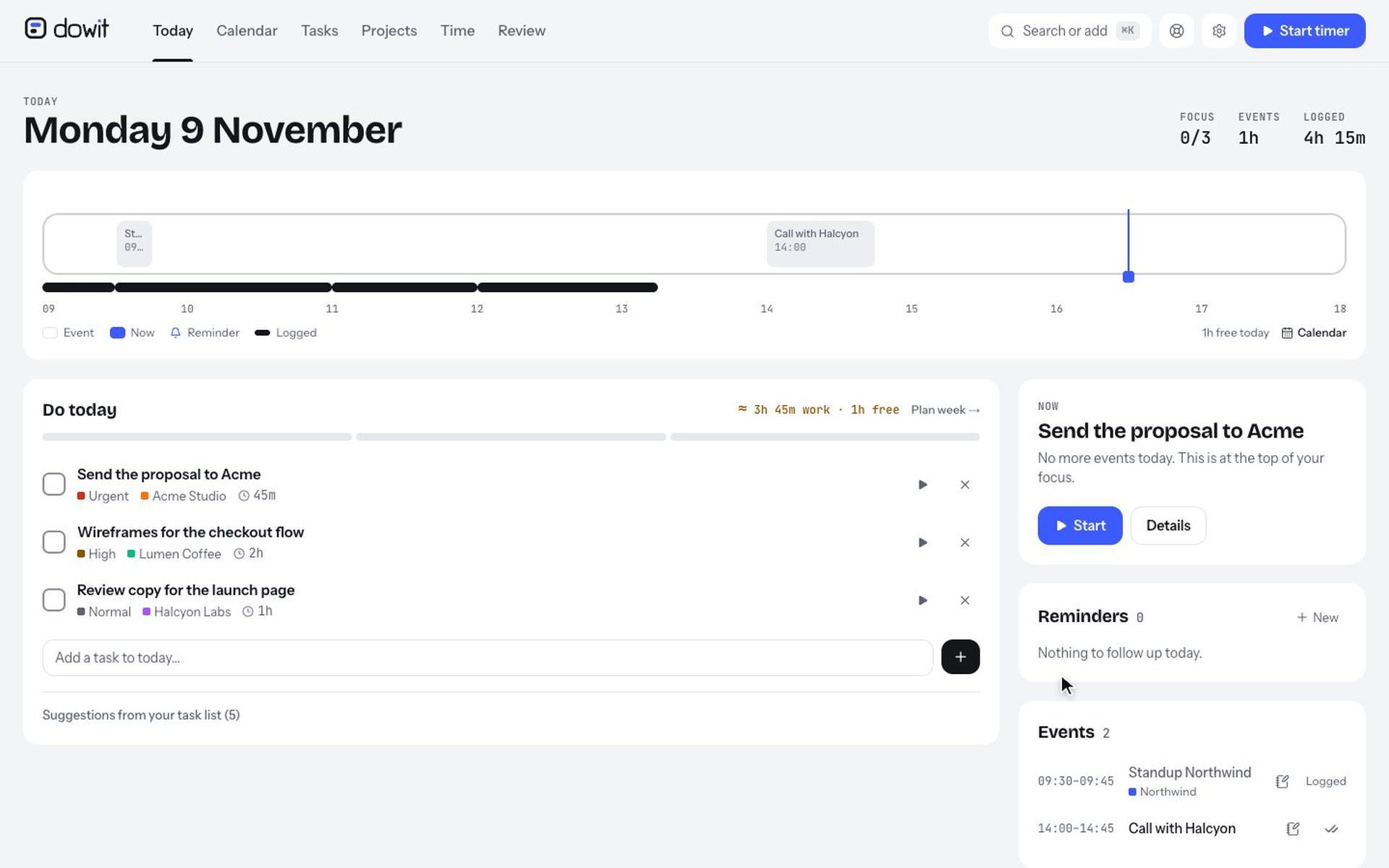
Type what's on your mind, Dowit gets the rest: the day, the time, the client and how urgent it is.
- "Call Sam tomorrow at 2pm #northwind !2" becomes a task with due date, client and priority.
- Reminders, tasks for today and the timer, all from your keyboard.
- Search tasks, projects, notes and links at once.
Time and invoicing
Know exactly what to invoice.
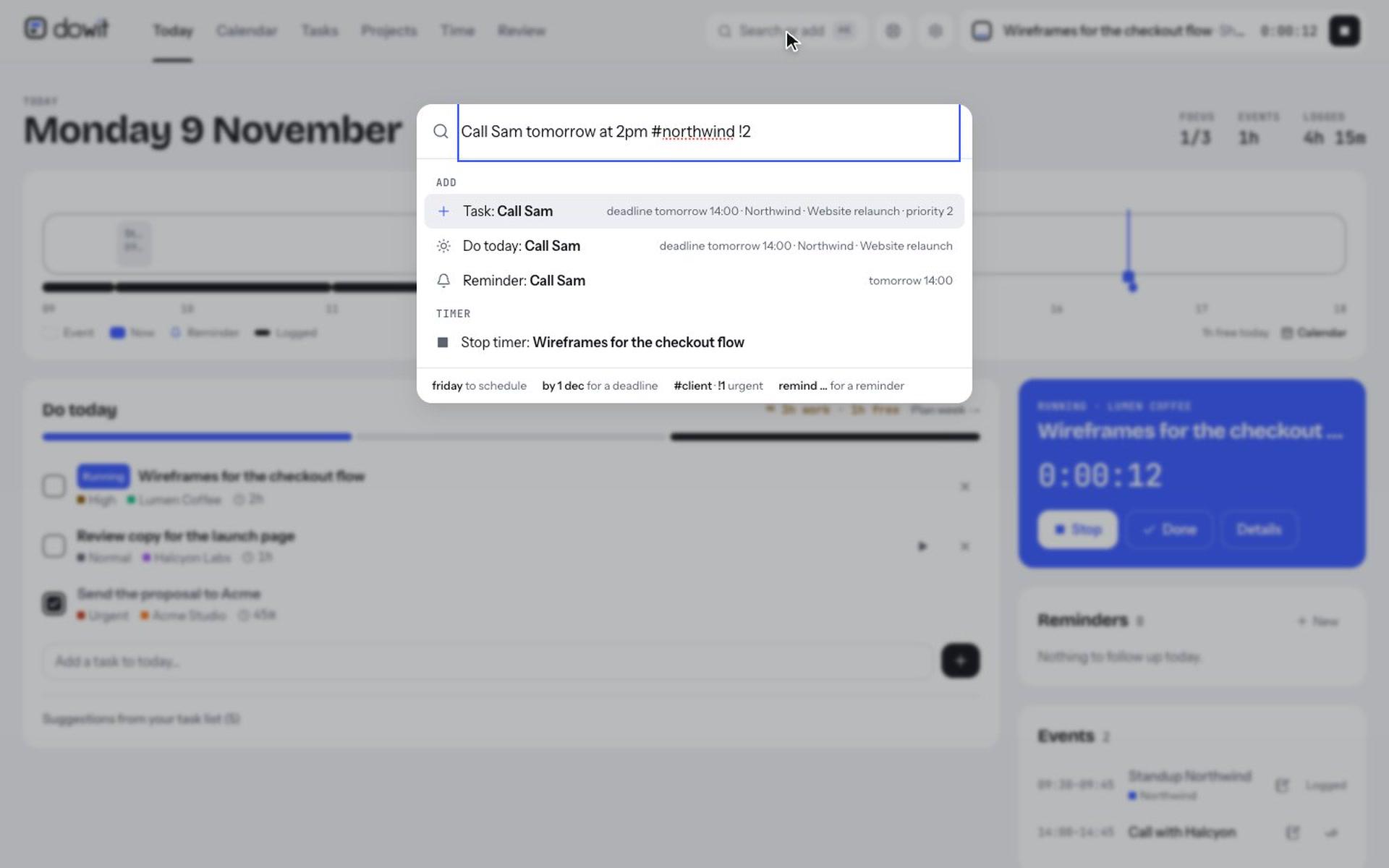
Hourly rates per client or per project, in your own currency. The client report shows what you did each month and what it costs.
- "To invoice": past months still open, per client.
- A monthly report as PDF, to copy, or as CSV for any invoicing tool.
- Close a month as invoiced, and reopen it if needed.
Tasks and projects
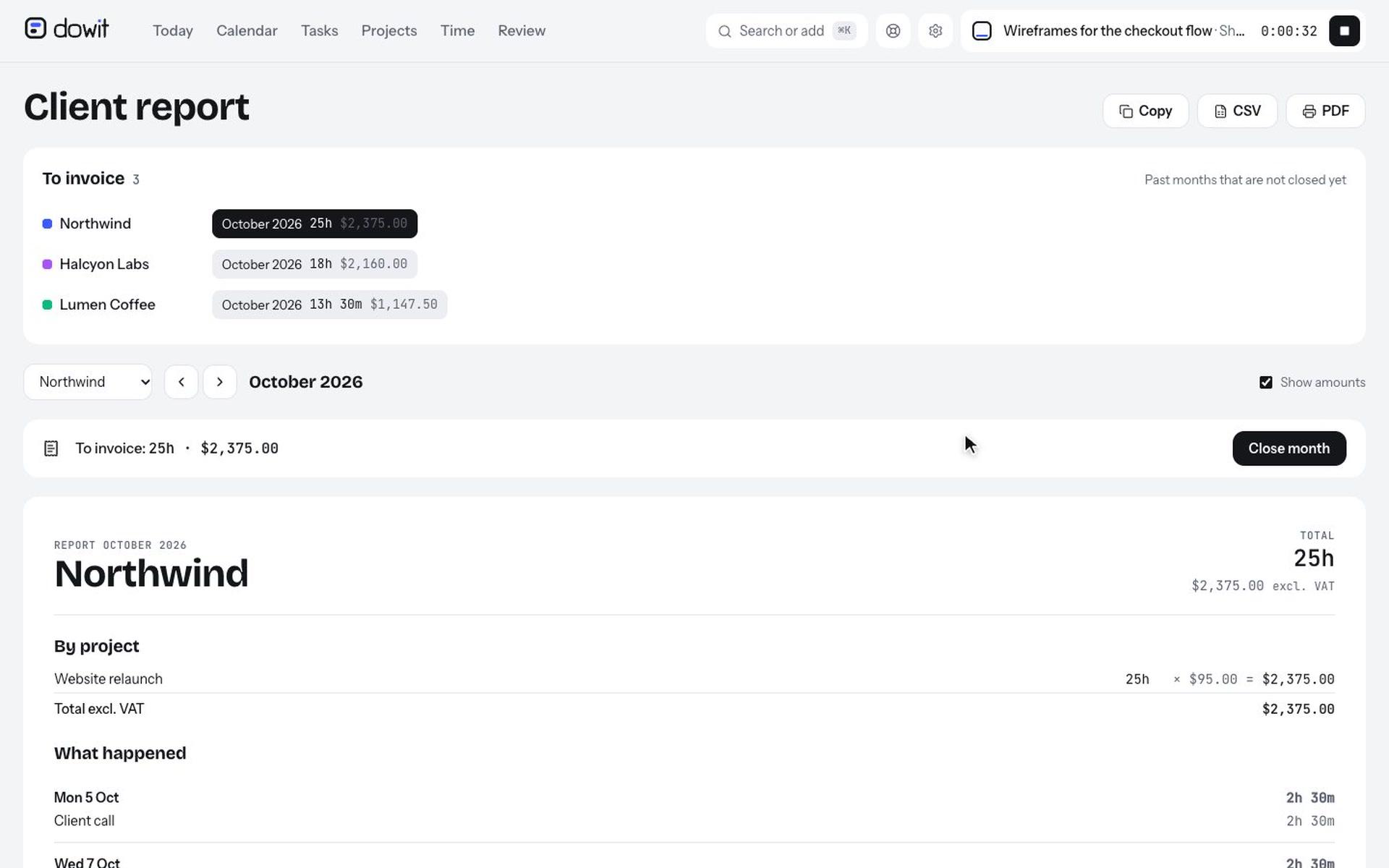
Every client, every project, at a glance.
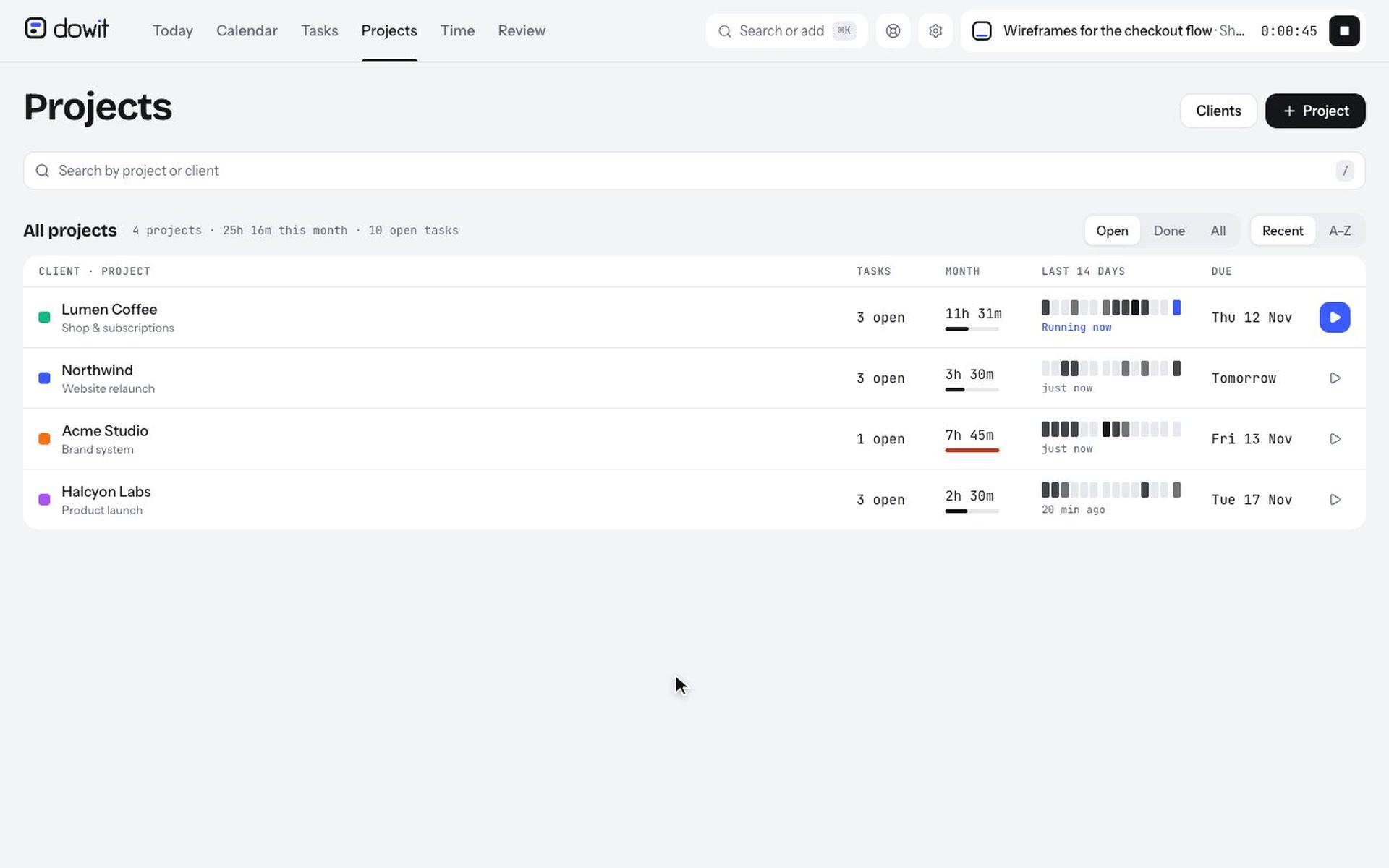
Projects per client with a budget in hours, due dates, notes and links. See right away where your time went this month.
- A log per project: notes, decisions and links to your documents.
- Recurring tasks, priorities and a week plan.
- Import your history from Toggl or a CSV file.
Time tracking
Your hours, without the hassle.
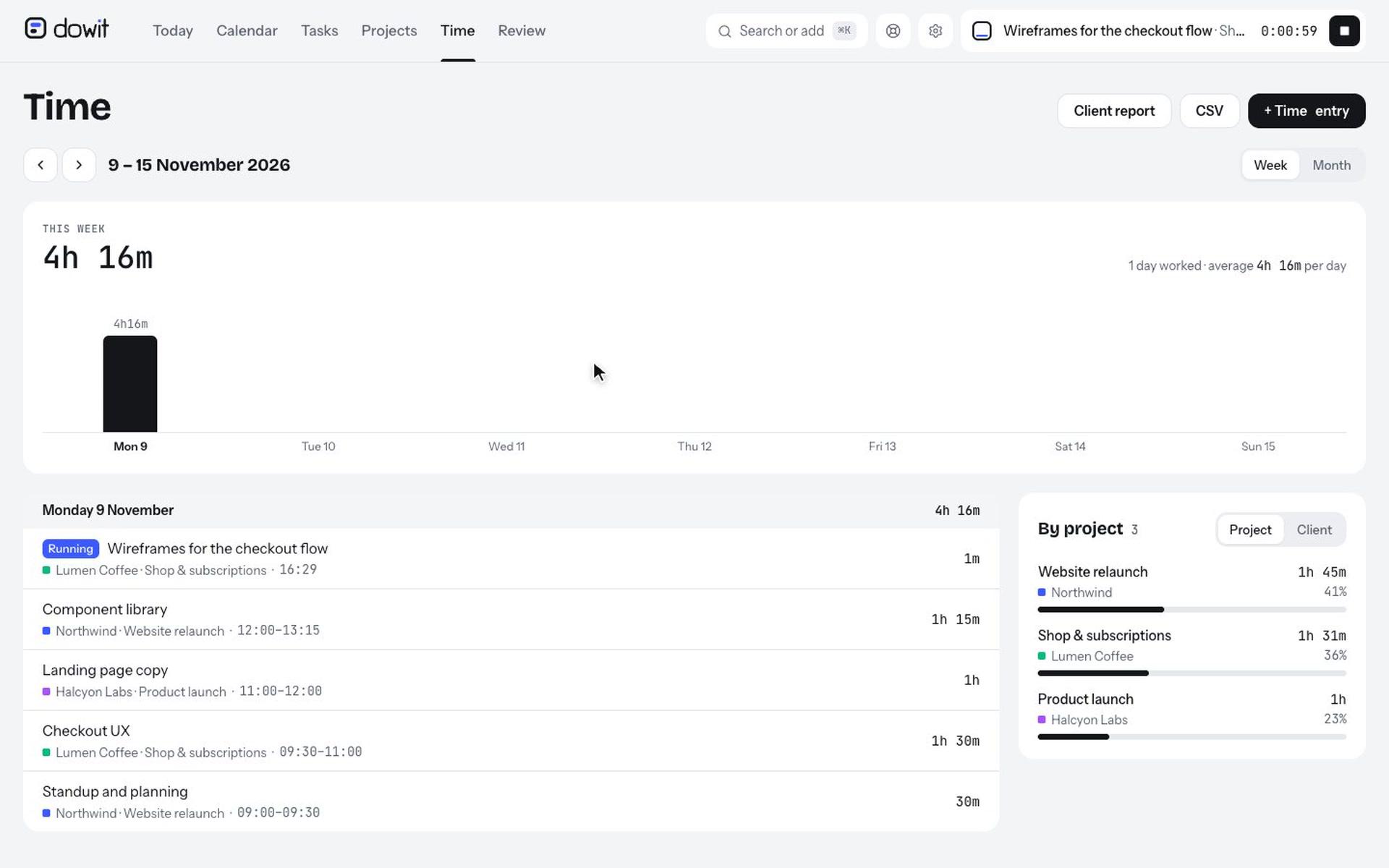
With the timer, afterwards in one sentence, or by telling your AI. Per week or per month, per project or per client.
- Timer still running after your working day? Your AI offers to stop it at the end of your working day.
- Your week as bars, and a CSV of all your hours.
And more
Teams
Invite your colleagues: shared clients and projects, everyone their own tasks and hours, with owner, admin and member roles.
On your phone
Add Dowit to your home screen and get notifications for your reminders. Light or dark, like your device.
Google Calendar
Your calendar both ways: your events in Dowit, and what you plan in Dowit in your calendar.
Dutch and English
The whole app, the e-mails and your AI in your own language, with your own time zone and currency.
Your data is yours
Download everything at any time, and delete your account in one click.
Log in without a password
With your Google account or with a link by e-mail.
Plan your work by saying it.
Free for yourself, with no time limit. A team? Try it free for 14 days.