
In short
- Akiflow brings your tasks from all kinds of sources and your calendar together, so you can plan your day tightly with time blocking. That's what Akiflow is good at, with its own AI assistant.
- Dowit is a work planner for freelancers: your calendar, tasks, projects and hours per client in one place, with what's left to invoice each month.
- Both work with AI, including through MCP. The difference: Dowit also tracks your hours per client for invoicing, and has a free plan.
- Akiflow costs $34 per month, or $19 per month billed yearly, with no free plan; Dowit is free for up to 3 clients, and Pro is $10 per month.
Akiflow is popular with people who plan their day in blocks. You collect your tasks from your email, chat and other apps in one inbox, and drag them into a time slot in your calendar. With Aki, the AI assistant, you can also plan in plain language.
Freelancers still often look for something else, mostly because they also need to track hours per client and invoice next to their planning, or because they find the price high. This guide puts Akiflow and Dowit side by side, honestly.
What's the difference between Akiflow and Dowit?
Akiflow is a planner that brings tasks from many sources and your calendar together, made to plan your day in blocks.
Dowit is a work planner for freelancers and small agencies. You plan your day and week with your calendar and a focus of a few tasks, your tasks and hours belong to clients and projects, and each month you see what to invoice. You run it in the app or with Claude or ChatGPT: "block two hours tomorrow for the Acme proposal", "1h Acme, 30m Northwind", "what do I still need to invoice?".
| Akiflow | Dowit | |
|---|---|---|
| Tasks and calendar together | Yes, with time blocking | Yes, with a daily focus and work blocks in your calendar |
| Tasks from other sources | Yes, including email, and through Zapier and IFTTT | Import from Todoist or a CSV |
| Calendar | Google Calendar and Outlook | Google Calendar, both ways |
| Time tracking | Not mentioned on the pricing page | Yes, per client and project, with a timer or afterwards in one sentence |
| Invoicing report per client | Not mentioned | Yes, in Pro: per client and month, with amounts |
| AI | Its own AI assistant (Aki) and an MCP connector | Works with Claude and ChatGPT through MCP, and listed in the Claude connector directory |
| Free plan | No, 7-day trial with a card | Yes, up to 3 clients |
| Paid plan | $34 per month, or $19 per month billed yearly ($228 per year) | $10 per user per month, or $100 per year (€9 / €90 excl. VAT in Europe) |
Akiflow details from their pricing page on 12 November 2026. Check current plans and prices at akiflow.com.
Where is Akiflow better?
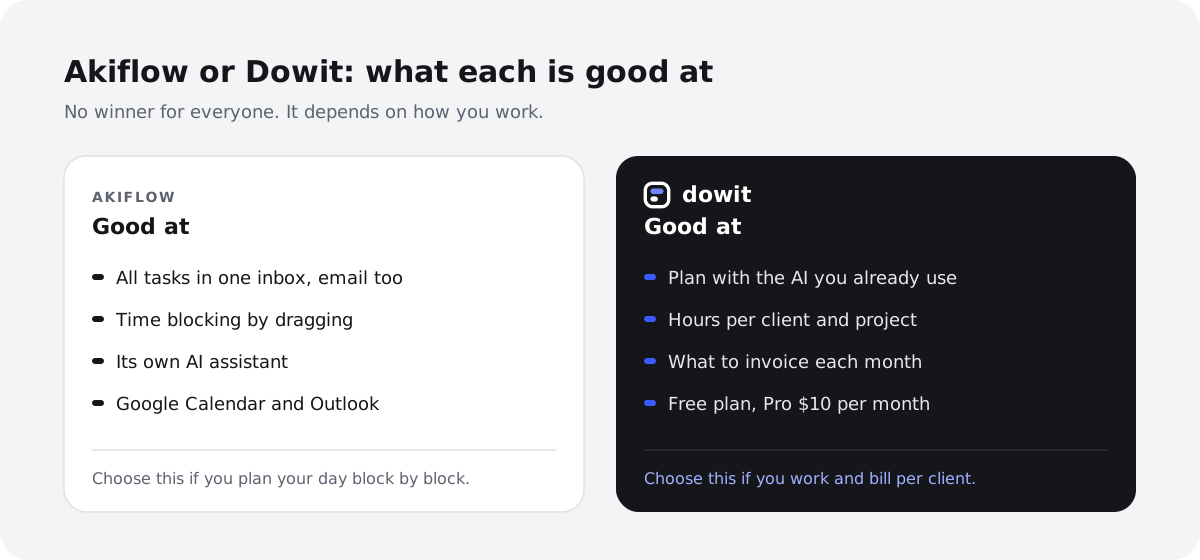
- Everything in one inbox. Akiflow collects tasks from your email and other apps, so nothing gets left behind. Dowit only imports from Todoist or a CSV.
- Time blocking. Akiflow is built to plan your day block by block, by dragging tasks into your calendar.
- Its own AI assistant. With Aki you plan in plain language inside Akiflow, without another AI subscription. For Dowit with your AI, you need a Claude or ChatGPT plan that allows connectors.
- Outlook. Akiflow also works with Outlook calendars; Dowit only with Google Calendar for now.
Where is Dowit different?
Hours per client, for invoicing
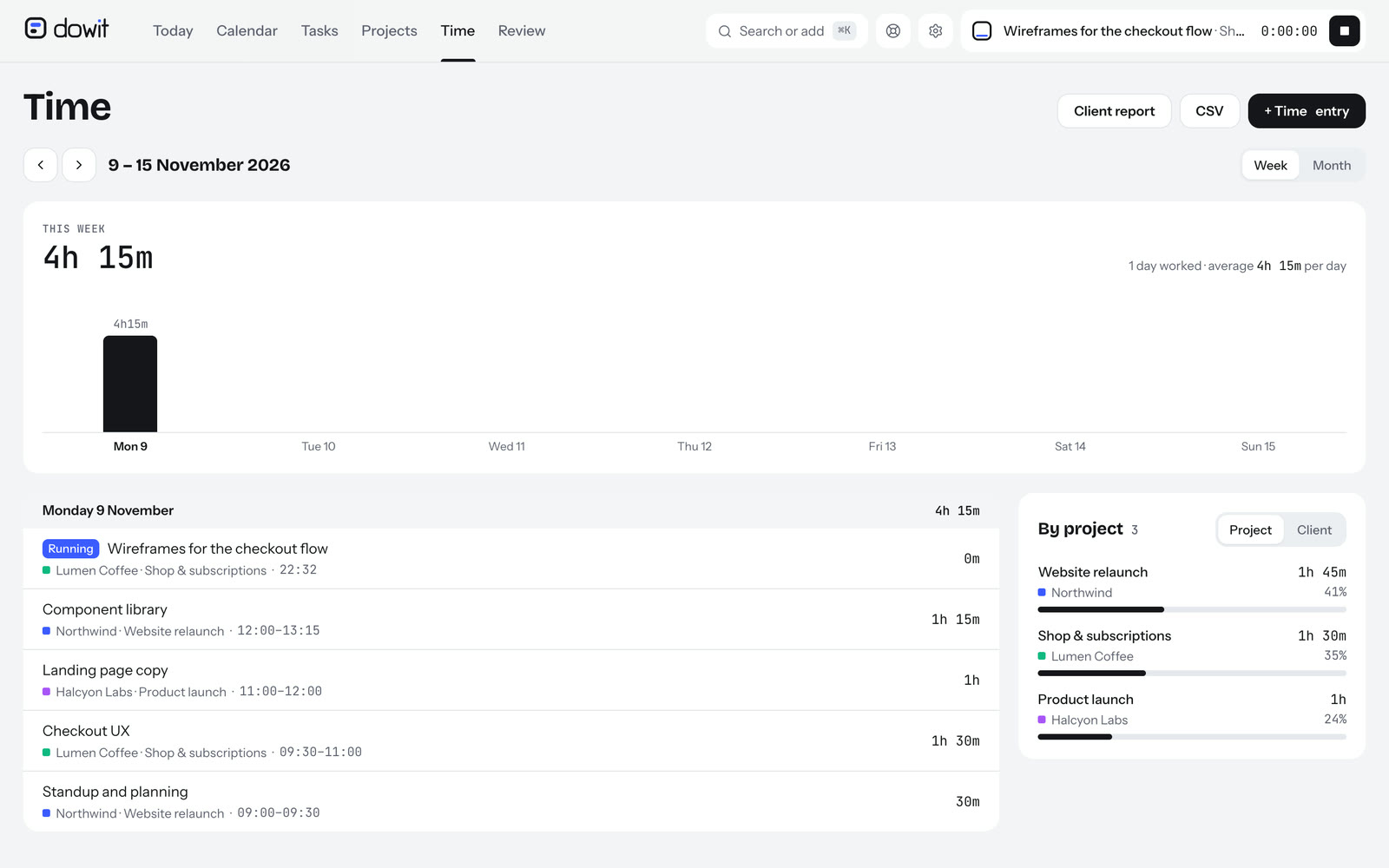
Dowit tracks your hours per client and per project, with a timer or afterwards in one sentence ("1h Acme, 30m Northwind"), with hourly rates per client or project. At the end of the month you see per client what to invoice, as a report, PDF, CSV or Excel for your own invoicing tool. No separate time tracker needed.
Time blocking: drag it yourself, or let your AI find the time
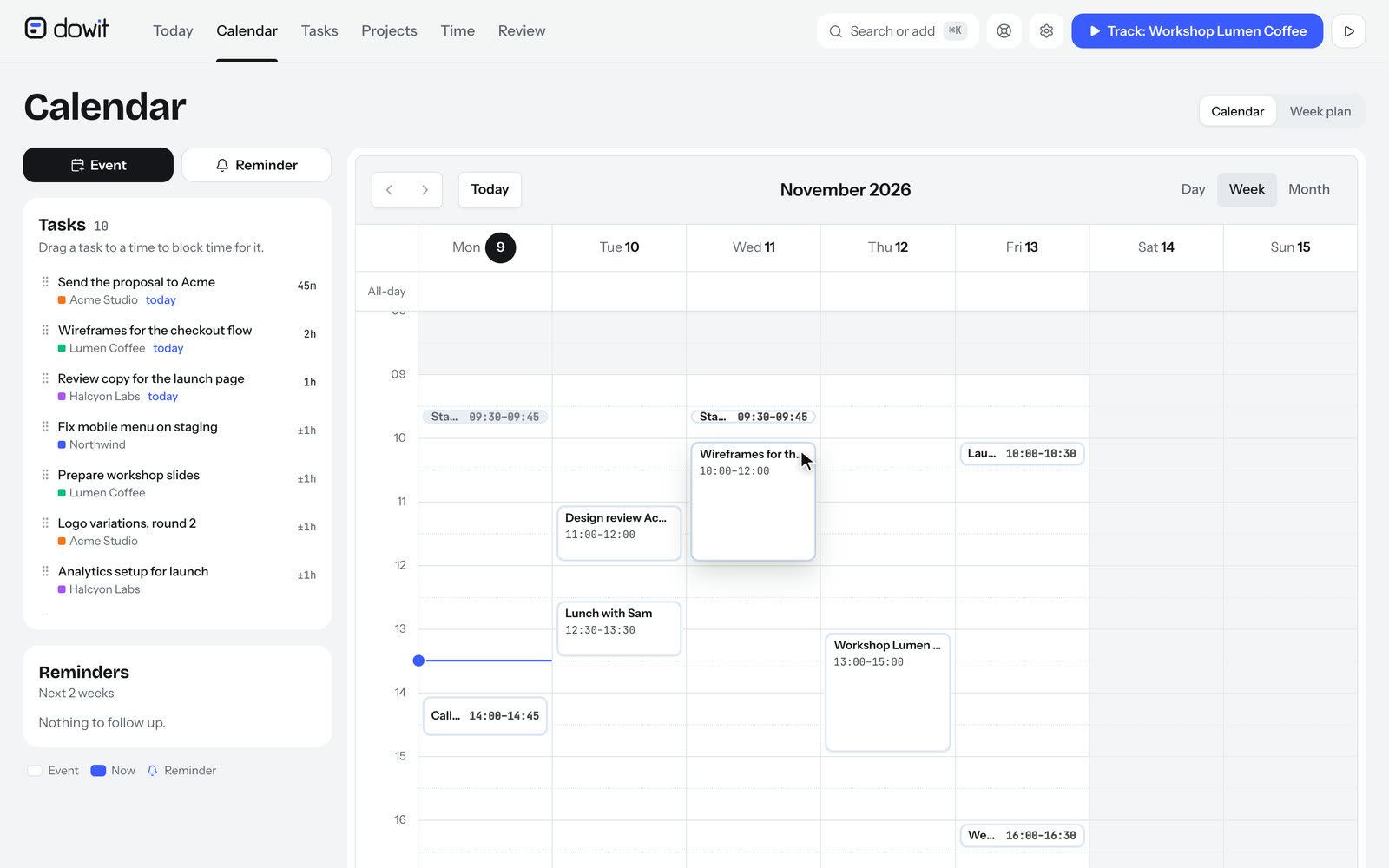
Just like in Akiflow, you drag a task onto a time in your calendar in Dowit, and you get a block as long as your estimate. Or you let your AI find a free gap between your events.
The AI you already use
If you already use Claude or ChatGPT all day for your work, you plan in Dowit with that same AI. No switching between apps: in the same conversation where you write a proposal, you also plan the time for it.
A free plan, and less expensive
Dowit is free for up to 3 clients, with unlimited projects and tasks. Pro is $10 per month. Akiflow has no free plan and costs $34 per month, or $19 per month billed yearly.
What does it cost?
- Akiflow: no free plan; a 7-day trial, with a card. Pro costs $34 per month, or $19 per month billed yearly ($228 per year). See akiflow.com/pricing.
- Dowit: free for up to 3 clients. Pro costs $10 per user per month (or $100 per year); in Europe €9 (or €90 per year) excl. VAT, with your first 14 days free, no card needed. See pricing.
How do you switch from Akiflow to Dowit?
- Create an account at dowit.io and connect your Google Calendar under Settings → Calendar. Your events show up in Dowit right away.
- Create your clients and projects, with your hourly rates, so your hours land with the right client right away.
- Move your open tasks. Paste your list into a conversation with Claude or ChatGPT: "Put these tasks in Dowit, with the right client and their due date." Or import a CSV under Settings → Import.
- Connect your AI under Settings → AI assistant and plan your day: "What's on my schedule today, and block two hours for my most important task."
Frequently asked questions
Can I time block in Dowit like in Akiflow?
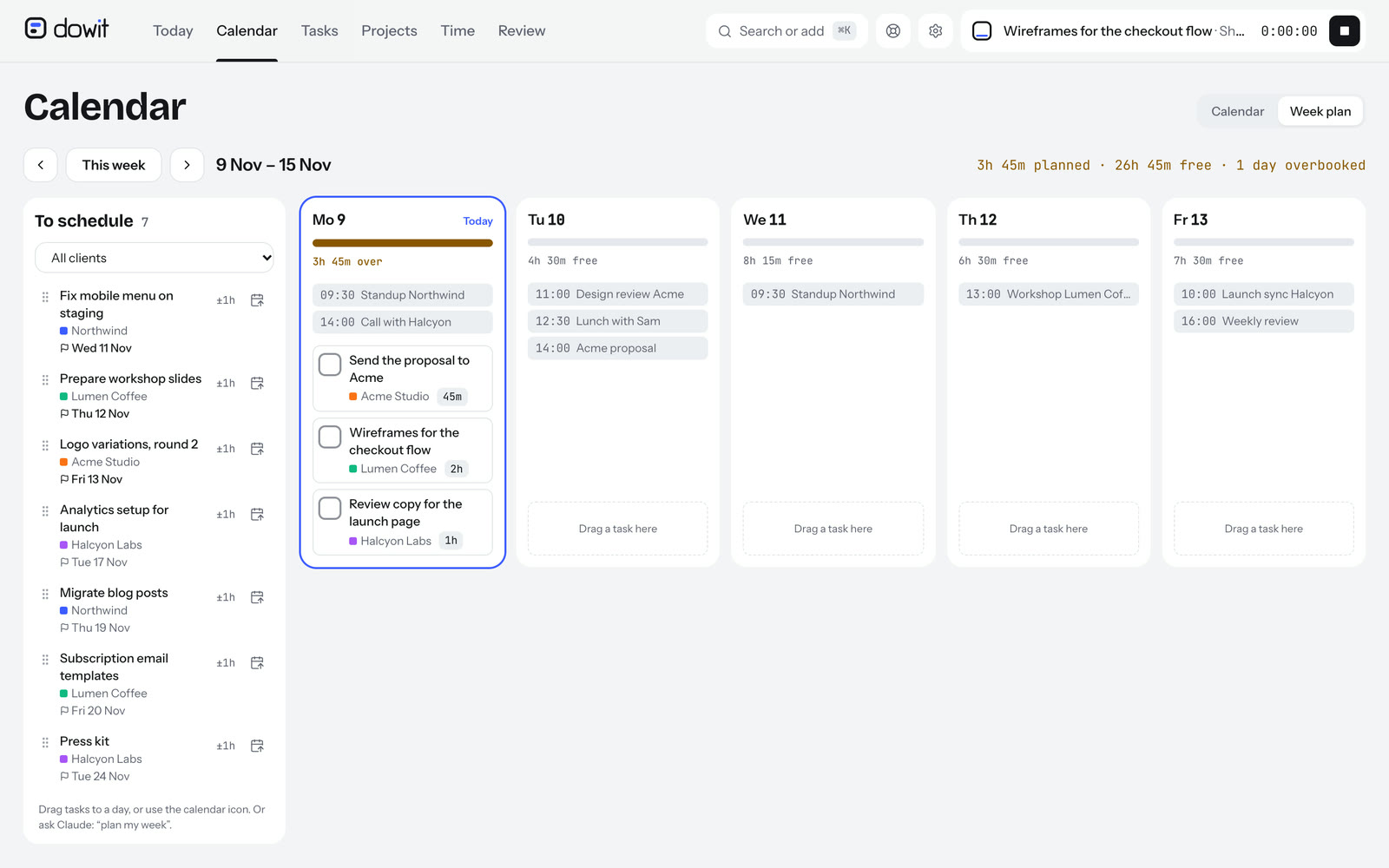
Yes. On the Calendar page you drag a task from the task list next to the calendar onto a time. You get a work block as long as your estimate, and the task is planned on that day. Or you ask your AI to plan work blocks between your events ("block two hours tomorrow for the Acme proposal"). In the week plan you drag tasks onto a day, without a time.
Does Dowit collect tasks from my email?
No. Dowit doesn't read your email. You add tasks in the app, with ⌘K in one sentence, or through Claude or ChatGPT. You can import from Todoist and from a CSV.
Do I need Claude or ChatGPT?
Not necessarily. Dowit also works as a regular app, on your computer and phone. With your AI it's a lot faster, though.
Who is Akiflow a better choice for?
For people who want tasks from many different sources in one inbox, and who plan their day block by block with a built-in AI assistant.